
The first time I ordered something through TikTok Shop, I genuinely didn’t know where to look for the order status — I’d bought plenty of things through the app before, but never had a reason to check on one afterward. It turns out the tracking info is there, just tucked a layer deeper than I expected.
Where to Find Your Order Status
Every purchase you make through TikTok Shop gets logged in an Orders section tied to your profile, separate from your regular watch history or saved items. It’s the single place to check on anything you’ve bought, regardless of which seller it came from.
What Each Status Actually Means
Orders typically move through a few stages — something like preparing or processing, shipped, out for delivery, and delivered. The exact wording can vary slightly by seller, but the general progression tells you roughly where your package is without needing to guess.
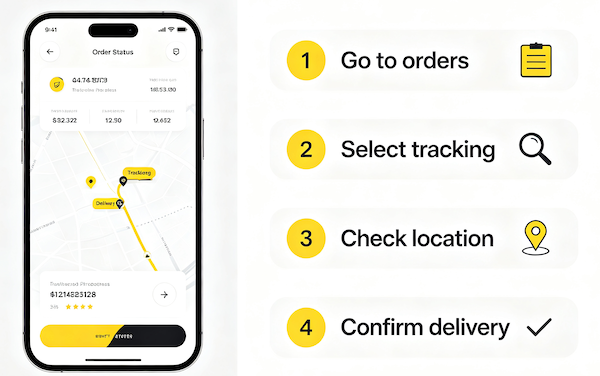
- Open your TikTok profile and tap Orders
This is usually found under your profile menu, sometimes labeled Orders or My Orders depending on your app version.
- Select the order you want to track
Each past purchase is listed individually with its current status.
- View the shipping status and tracking number
TikTok Shop shows a status label — like preparing, shipped, or delivered — alongside the carrier tracking number once it’s available.
- Tap the tracking link for carrier-level detail
This hands off to the shipping carrier’s own tracking page for the most precise, real-time location updates.
When to Contact the Seller vs Wait
A status that hasn’t moved for a day or two usually isn’t cause for concern — carrier scans aren’t always instant. But if it’s been stuck well past the estimated delivery window, reaching out to the seller directly is reasonable. Turning on order notifications ahead of time means you won’t have to check the status manually every time anyway. For more on this, see How to Turn On Restock Notifications.
FAQ
Where exactly do I find my TikTok Shop orders?
From your profile, look for an Orders section — it’s usually accessible from the same menu where you’d find settings or your purchase history.
How long after ordering does tracking information appear?
It depends on the seller, but tracking numbers typically populate once the item has actually shipped, not immediately at checkout.
What does it mean if my order status hasn’t changed in days?
It can mean the seller hasn’t updated it yet, or the package is in transit between scans. If it’s been unusually long, contacting the seller is a reasonable next step.
Can I track a TikTok Shop order without the app?
Once you have the carrier tracking number, you can typically look it up directly on the carrier’s own website outside the app.