
At one point I had so many notifications coming from TikTok that I just muted the app entirely — which solved the annoyance but also meant I missed a restock I’d actually been waiting on. Since then I’ve settled into a middle ground: filtering what comes through instead of turning everything off.
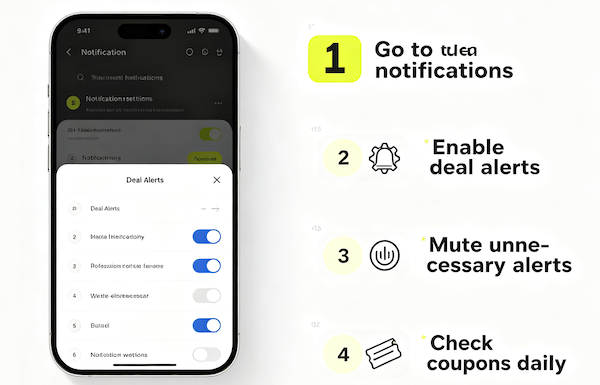
The Problem With All-or-Nothing Notifications
Leaving every notification on gets noisy fast, but turning them all off means losing the genuinely useful ones along with the noise. Neither extreme works well if you actually want to catch restocks, price drops, and order updates without being buried in alerts.
A Smarter Way to Filter
The fix isn’t a single setting — it’s being deliberate about which categories of notification earn a spot and which don’t. Shopping-related alerts are usually worth the space; general social activity often isn’t.
- Turn off generic or social notifications you don’t need
Likes, comments, and follower alerts are the most common source of notification fatigue and rarely relate to shopping.
- Keep shop-related notifications on
Order updates, restock alerts, and price-drop-adjacent seller posts are the ones actually worth keeping.
- Follow only sellers whose alerts you actually want
Every seller you follow adds to your notification volume, so being selective keeps the signal-to-noise ratio manageable.
- Revisit settings periodically
Your shopping habits change, and a setting that made sense a few months ago might not fit anymore.
Finding the Right Balance
The goal is a notification list that’s short enough to actually pay attention to, but still covers the things that matter — restocks, price drops, and order updates on the purchases you’re tracking. If alerts you’ve enabled still aren’t showing up, that’s usually a sign to check the common notification fixes instead of assuming the setting itself is wrong.
FAQ
Is it better to turn off all notifications and check manually instead?
Not usually — that tends to mean missing time-sensitive things like restocks and flash sales. Filtering, rather than disabling everything, works better.
How many sellers is too many to follow for notifications?
There’s no fixed number, but if you find yourself ignoring most notifications, that’s a sign to unfollow a few and keep the ones you actually value.
Do notification preferences differ by seller?
Some sellers offer more granular options than others, so it’s worth checking individual seller settings rather than assuming they all work the same way.
Should I check my notification settings after every app update?
It’s not a bad habit — updates occasionally reset preferences, so a quick check after a major update can catch anything that changed unintentionally.