
I spent almost two months missing the restock window on a specific cast-iron skillet cleaner someone in my building recommended — it kept selling out before I remembered to check back. It wasn’t until I actually used the restock notification option on the product page that I finally caught one in time.
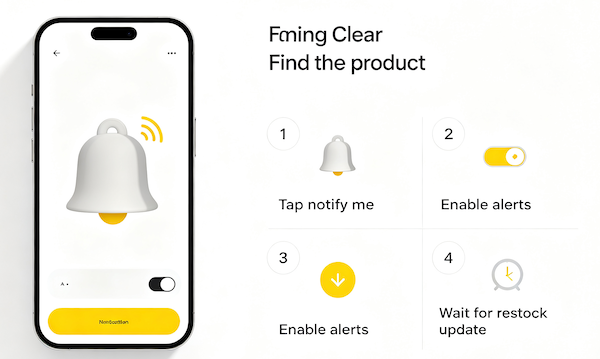
Why Restock Notifications Matter for Popular Items
Trending products on TikTok Shop can sell out fast, sometimes within hours of a viral video. Checking back manually means relying on timing and memory, which is exactly how easy restocks get missed. A notification does the remembering for you.
Where to Find the Notify Me Option
It’s on the product page itself, not buried in a separate settings menu. Once an item is out of stock, TikTok Shop replaces the usual Add to Cart button with a restock opt-in, so there’s nothing extra to set up beyond tapping it.
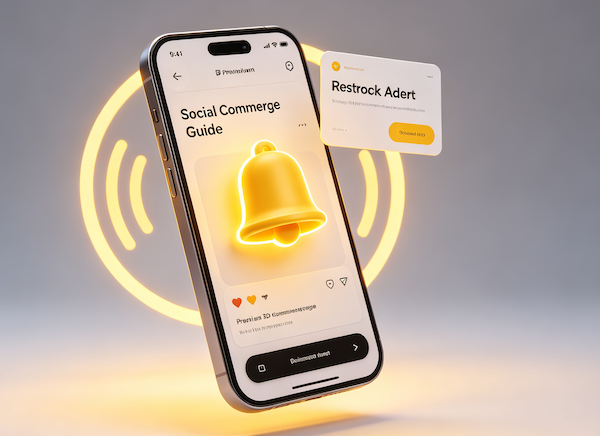
- Open the product page for a sold-out item
Sold-out listings usually stay visible on TikTok Shop instead of disappearing, which is where the notification option lives.
- Look for “Notify Me” in place of Add to Cart
When a product is out of stock, TikTok Shop typically swaps the purchase button for a notify option automatically.
- Tap it to opt in
This adds you to the list of buyers who get pinged the moment the seller restocks.
- Confirm push notifications are enabled for TikTok
The in-app opt-in only works if your phone is also allowing TikTok to send push notifications.
What to Do If There’s No Notify Option
Not every listing offers one — sometimes a seller discontinues an item instead of restocking it. In that case, saving the product to your wishlist is a reasonable backup, and following the seller directly means you’ll likely see a restock mentioned in their videos even without a formal alert. It’s also worth checking your broader notification settings to make sure shop alerts aren’t accidentally muted.
FAQ
Does every sold-out product have a restock notification option?
No — it depends on whether the seller has restocking enabled for that listing. Some sellers discontinue items instead of restocking them.
How fast will I actually be notified once it’s back?
Typically within minutes of the seller updating their inventory, though very high-demand restocks can still sell out before everyone gets through checkout.
Can I get notified for more than one sold-out product at a time?
Yes, there’s no real limit — you can opt in on every sold-out listing you’re interested in.
What if there’s no Notify Me button at all?
Saving the item to your wishlist and checking back, or following the seller directly, are the best fallback options.