
A friend of mine missed an entire flash sale on something she’d been saving for weeks because her notifications had silently stopped coming through — she hadn’t changed anything on purpose, they’d just quietly turned off at some point. It’s a more common problem than people expect, and the fix is usually one of a small handful of things.
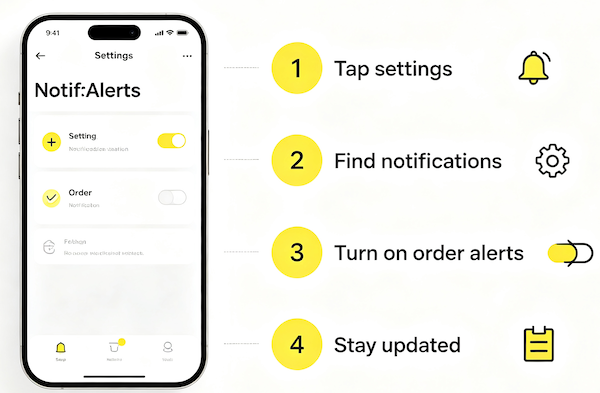
Common Reasons Notifications Stop Working
Most of the time it’s not one dramatic cause — it’s a permission that quietly got reset by an app update, a phone update, or a setting you didn’t realize you’d changed. Occasionally it’s a device-level feature like Do Not Disturb doing exactly what it’s designed to do.
The Fixes, in Order
Rather than guessing, it’s faster to work through the likely causes from most to least common — starting inside the app, then checking your phone’s own settings.
- Check TikTok’s in-app notification settings
Confirm the specific toggle for the type of alert you’re missing — order updates, restocks, or seller activity — is actually turned on.
- Check phone-level notification permissions
Your device can block TikTok’s notifications entirely even when the in-app setting looks correctly enabled.
- Make sure Do Not Disturb or Focus modes aren’t interfering
These modes can silently suppress notifications from apps that aren’t on an allowed list.
- Update or reinstall the app if settings appear stuck
Occasionally a setting fails to save properly, and an update or fresh install clears it.
If Nothing Works
If you’ve gone through every setting and notifications still aren’t coming through, a fresh reinstall genuinely does resolve it more often than you’d expect. Once things are working again, it’s worth revisiting your full notification setup so the right alerts — and only the right ones — are actually turned on. Related reading: How to Turn On Restock Notifications.
FAQ
Why would notifications just stop working after they were fine before?
A phone update, an app update, or an accidental toggle change are the most common causes — something on the device or app side reset the permission.
Does Low Power Mode affect TikTok notifications?
It can, since some phones restrict background app activity to save battery, which may delay or block push notifications.
Is there a way to test if notifications are working?
Triggering a small, obvious event — like following a new account or checking a known restock — can help confirm whether alerts are coming through.
Should I reinstall the app if nothing else fixes it?
It’s a reasonable last step. A clean install often resolves permission settings that got stuck without a clear cause.