
I used to think every product I saw on TikTok meant scrolling to the comments to ask “link please?” and hoping the creator actually replied. Then I noticed some videos had a tiny shopping bag icon sitting quietly in the corner — and once I knew to look for it, I started seeing it everywhere. That icon is the whole difference between a regular video and a shoppable one.
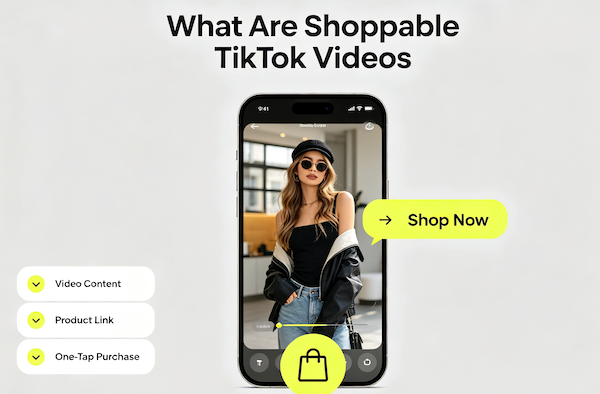
What Makes a TikTok Video “Shoppable”
A shoppable video is a regular TikTok video with one or more products tagged directly to it. The creator (or the seller themselves) links an actual TikTok Shop listing to the video, so anyone watching can go from “I want that” to a product page in one tap — no searching, no asking in the comments.
It’s different from a creator just mentioning a product by name. Shoppable videos have a real, clickable connection to a listing with a price, reviews, and a buy button attached.
How to Spot One While Scrolling
Look for a small yellow shopping bag icon, usually stacked with the like/comment/share icons on the right side of the screen, or sitting just under the caption. Some videos also show a small product card preview that slides in a few seconds into the video. If you see either, the product is one tap away.
What Happens When You Tap the Product
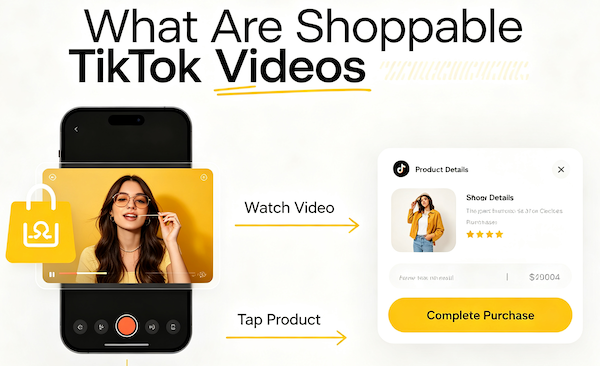
- Watch the video
Shoppable tags usually appear a few seconds in, once the product is actually shown on screen.
- Tap the product
Tapping the bag icon or product card opens a preview, then the full product page with photos, price, and reviews.
- Complete the purchase
From there it’s the same TikTok Shop checkout as any other listing — add to cart, confirm your address, and pay, all without leaving the app.
If you haven’t gone through an actual checkout yet, our step-by-step buying guide covers what happens after you land on the product page.
Shoppable Videos vs. Ads: What’s the Difference
Shoppable videos usually don’t feel like ads because most of them aren’t, at least not in the traditional sense. A lot of them are organic content from creators who joined TikTok Shop’s affiliate program — they tag a product they actually use, and earn a small commission if someone buys through their video. TikTok also runs paid shoppable ads that look almost identical, but those are labeled “Sponsored” near the caption. If you don’t see that label, it’s most likely organic.
A Few Things I Wish I’d Known Sooner
The tagged product isn’t always sold by the creator in the video — it’s usually a separate seller’s listing, and the creator is just the one who showed it to you. That means the same product often shows up tagged in multiple videos from different creators, sometimes at slightly different prices, so it’s worth a quick check before you buy if you’ve seen it more than once. And just like any listing, it’s worth glancing at the seller’s rating before checking out — our TikTok Shop safety guide covers exactly what to look for.
FAQ: Shoppable TikTok Videos
How do I know if a TikTok video is shoppable?
Look for a small shopping bag icon near the like/comment/share buttons, or a product card that slides in partway through the video.
Do creators get paid for shoppable videos?
Many do, through TikTok Shop’s affiliate program — they earn a commission when someone buys the tagged product through their video.
Is a shoppable video the same as an ad?
Not usually. Most shoppable videos are organic content with a tagged product. Paid ads look similar but are marked “Sponsored” near the caption.
Can the same product be tagged in more than one video?
Yes, and sometimes at different prices if multiple sellers list it. It’s worth comparing before you buy if you’ve seen it tagged more than once.