
The first time I went looking for TikTok Shop, I swiped through every tab on the bottom bar twice before I found it — and even then, it wasn’t where I expected. If you’ve got the app open right now trying to figure out where this thing actually lives, you’re not missing something obvious. It’s just not always in the same spot for everyone.
Where the Shop Tab Actually Lives
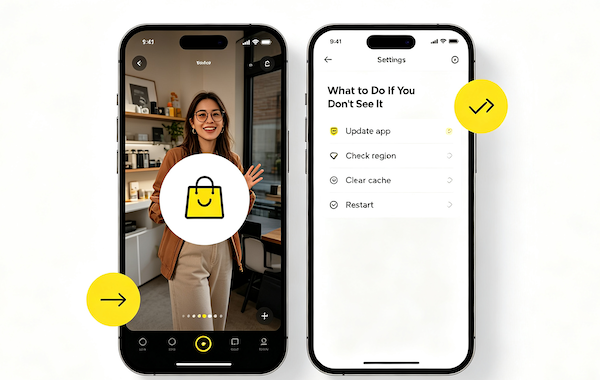
On most accounts where TikTok Shop is available, you’ll see a shopping bag icon sitting in the bottom navigation bar, usually between Discover and Inbox. Tap it and it opens a full storefront view — trending products, categories, and a search bar built specifically for shopping instead of videos.
That said, TikTok changes this layout fairly often, and it’s not identical for every user. Sometimes it shows up as a small “Shop” label instead of just an icon. On some accounts it’s tucked one level deeper, inside your profile.
The Fastest Way to Get There (Even If the Tab Isn’t Visible)
You don’t actually need the bottom-bar tab to reach TikTok Shop. The three fastest routes in, in order of how often I use them:
- Tap the shopping bag icon on a video. Any video with a tagged product shows a small bag icon near the caption — tap it and you’re straight on the product page.
- Search “TikTok Shop” in the app’s search bar. This almost always surfaces a shop shortcut even when the tab itself isn’t showing.
- Follow a creator’s product link in their bio. Sellers and creators who post product videos often pin a shop link directly to their profile.
Why You Might Not See It at All
If none of that is working and you genuinely can’t find a shop anywhere in the app, the most common reason is regional availability. TikTok Shop is only turned on in specific markets — it’s not live everywhere TikTok itself is available. If your account’s region isn’t one of them, the tab won’t appear no matter how many times you update or restart the app.
The second most common reason is a stale app version. TikTok Shop rolled out gradually, and older app builds sometimes don’t have the shop UI at all, even on eligible accounts.
What to Do If You Still Don’t See It
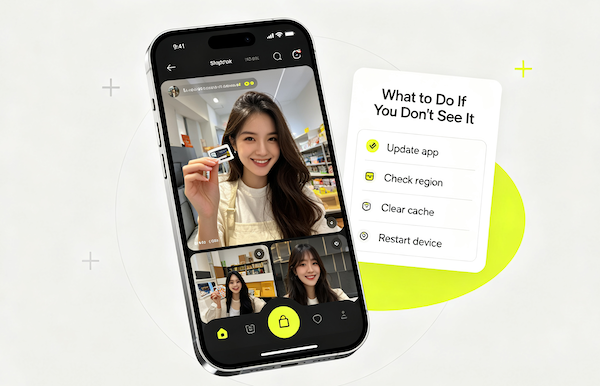
Work through these in order — most people find it by step two or three:
- Update the app
Go to your app store and check for a pending TikTok update. Shop UI changes ship with app updates, not silently in the background.
- Check your account region
Your TikTok Shop access is tied to the region your account is registered in, not just your current location. If you signed up while traveling or using a VPN, this is worth double-checking in Settings.
- Clear the app’s cache
On both iOS and Android, TikTok has a “Free up storage space” or cache-clearing option under Settings → Account → Manage my account. This forces the app to reload its navigation layout from scratch.
- Restart the app, then the device
Simple, but it resolves more of these cases than you’d think — especially after clearing the cache.
A Few Things I Wish I’d Known Sooner
If you’re switching between a personal and a business/creator account, the shop tab can appear on one and not the other, since eligibility is sometimes tied to account type. And if you’re still not seeing it after all four steps, it likely just isn’t available in your region yet — in that case, the bag-icon-on-video and search-bar routes above still work as a workaround.
Once you’ve actually got a product page open, the buying process itself is quick — we walk through the whole thing in our step-by-step guide to buying from TikTok Shop. For more on this, see What Are Shoppable TikTok Videos?.
FAQ: Finding the TikTok Shop Tab
Why don’t I have a TikTok Shop tab?
The most common reason is that TikTok Shop isn’t yet available in your account’s registered region. An outdated app version is the second most likely cause.
Can I use TikTok Shop without the bottom-bar tab?
Yes. Tapping the shopping bag icon on a tagged video, searching “TikTok Shop” in-app, or following a creator’s product link all open the shop even if the tab itself isn’t visible.
Does restarting the app actually fix a missing Shop tab?
It helps more often than you’d expect, especially combined with clearing the app cache first — together they force TikTok to reload its navigation layout.
Is TikTok Shop available in every country?
No. It’s limited to specific markets and expands gradually. If your region isn’t supported yet, the tab won’t show up regardless of app version or troubleshooting.