
The first time I bought something off a TikTok video, I almost backed out at checkout. It felt like I was buying from a stranger’s phone, not a real store. Turns out that’s a pretty common reaction — a friend of mine had the exact same hesitation last month before she ordered a set of kitchen tongs she’d seen in a cooking video.
Once you’ve done it once, though, it’s genuinely one of the fastest checkout flows around — faster than most regular online stores, honestly, because everything happens without leaving the app or the video you were already watching. This is the walkthrough I wish someone had sent me the first time.
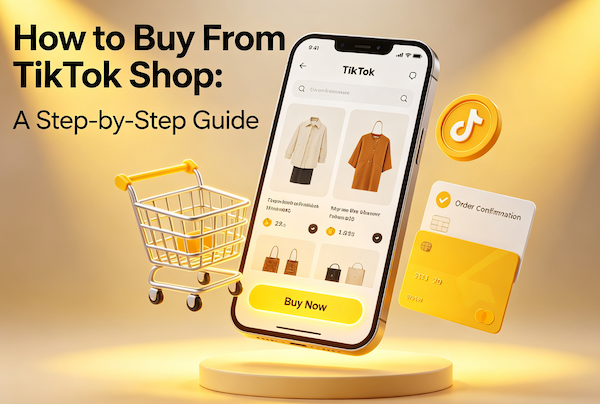
Step 1: Find the Shop Tab on the Product
You’ll usually land on a TikTok Shop product one of two ways: tapping the little shopping bag icon on a video, or tapping a product link a creator dropped in their bio or pinned comment. Either way, it opens a product page inside the app — photos, a price, a “sold” count, and reviews from actual buyers, right there under the description.
Scroll down before you buy anything. The review photos (not just the star rating) are the most useful part — they show you the product in a real home, not a studio.
Step 2: Check the Seller and the Reviews
This is the step people skip, and it’s the one that actually matters. Every TikTok Shop listing has a storefront name attached to it — tap it to see their other products, their rating, and how long they’ve been selling. A shop with a solid review count and photos from real buyers is a much safer bet than one with a handful of five-star reviews and no pictures.
We cover this in more depth in our TikTok Shop safety guide, but the short version: read the 3-star reviews before the 5-star ones. They’re usually the most honest.
Step 3: Add to Cart and Check Shipping
Tap “Add to Cart” (or “Buy Now” if you just want that one item). On the cart screen, TikTok Shop shows you the shipping estimate and whether the order qualifies for free shipping — many listings ship free once your order hits a small minimum, and some are free regardless. If you’re on the fence about a second item, this is usually where it’s worth checking whether adding it clears that free-shipping threshold.
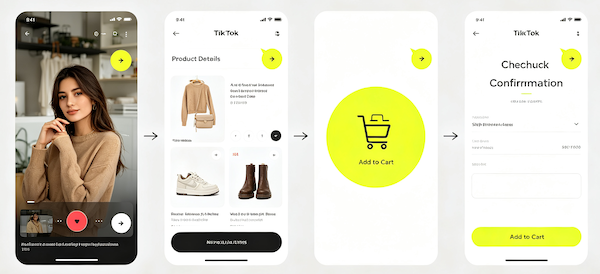
Step 4: Enter Your Address and Pay
Checkout asks for a shipping address and a payment method, same as any online store — card or the payment options TikTok offers in your region. Before you tap confirm, double check the size/color/variant selection one more time; it’s the single most common ordering mistake, and it’s an easy one to make when you’re checking out from inside a video feed.
Step 5: Track Your Order
Once it’s placed, your order shows up under Profile → Orders, with tracking that updates the same way a normal package would. If something arrives damaged or wrong, TikTok Shop’s return window covers you — details in our shipping and returns guide.
- Open the productTap the shopping bag icon on a video, or a creator’s product link.
- Check the sellerTap the shop name, look at review count, ratings, and buyer photos.
- Add to cartConfirm the variant (size/color), then review the shipping estimate.
- Enter address and payFill in shipping details and choose a payment method.
- Track your orderFind tracking under Profile → Orders once the order is placed.
A Few Things I Wish I’d Known Sooner
If you’re buying something specific, like a handheld sewing machine, it’s worth reading a couple of independent reviews outside the app too, just to cross-check the claims in the video against what real buyers say. And if a deal feels too good — a $90 gadget listed at $9 with no reviews — that’s usually a sign to skip it, not a sign you got lucky.
FAQ: Buying From TikTok Shop
Do I need a TikTok account to buy from TikTok Shop?
Yes, you check out through your existing TikTok account — there’s no separate store login required.
Is TikTok Shop shipping free?
Many items ship free, or become free once your order reaches a small minimum set by the seller. The exact threshold shows on the product and cart pages before you pay.
Can I cancel a TikTok Shop order after buying?
You can usually cancel from Profile → Orders if the order hasn’t shipped yet. Once it ships, you’re into the standard return window instead.
What payment methods does TikTok Shop accept?
Major debit/credit cards and the payment options TikTok offers in your region, entered directly at checkout inside the app.