
A coworker once asked me why she could never find anything useful when she searched TikTok Shop directly — she’d type in something vague like “cute bag” and get a wall of random results that didn’t match what she actually wanted. Meanwhile I’d been quietly using filters and specific keywords for months and just assumed everyone knew. They don’t, so here’s what actually changes the quality of your search results.
Why Vague Searches Give You Junk Results
TikTok Shop’s search leans heavily on keyword matching and trending relevance, not deep intent-reading. If you search something broad like “bag,” you’ll get a mix of whatever’s popular and tagged loosely with that word — which is not the same as what you’re actually looking for. The fix is almost always to get more specific, the same way you’d search on any e-commerce site.
Use Specific Keywords, Not Categories
Instead of “bag,” try “canvas tote bag” or “small crossbody bag.” Instead of “earbuds,” try the actual product type or a defining feature like “wireless earbuds noise cancelling.” The more specific the phrase, the less TikTok’s search has to guess what you meant.

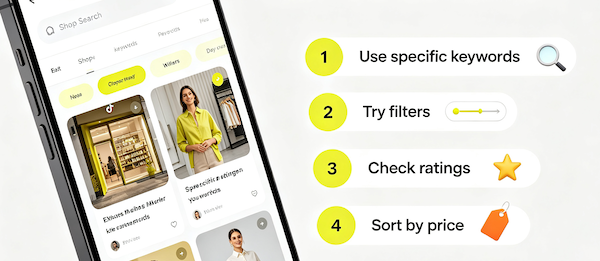
- Use specific keywords
Search exact product types or features instead of broad category words.
- Try filters
Narrow results by category, price range, or other filters available on the search results page.
- Check ratings
Sort or scan for products with solid review counts, not just the first thing that appears.
- Sort by price
Use the sort option to compare low-to-high or high-to-low if budget matters more than order shown.
Filters Are Underused
Most people scroll past the filter options entirely, but narrowing by category and price range before you scroll can save a lot of time. If you’re comparing options — say, choosing between a few sellers of the same type of product — sorting by price or filtering by rating is a faster way to shortlist than scrolling and comparing manually.
A Few Things I Wish I’d Known Sooner
Search results can shift day to day since they lean on what’s currently trending, so a product that ranked high last week might be buried today — it’s not that it disappeared, the algorithm just deprioritized it. I’ve also found that searching from inside a category (after you’ve already found the Shop tab) tends to give tighter results than searching from the general TikTok search bar, which mixes in videos and accounts alongside products. It’s also worth checking out What Are Shoppable TikTok Videos?.
FAQ: Searching TikTok Shop
Does TikTok Shop search work differently from the general TikTok search bar?
Yes. Searching from within the Shop tab filters specifically for products, while the general search bar mixes in videos, accounts, and hashtags alongside any shoppable results.
Why do my search results change from day to day?
TikTok Shop’s search weighs trending relevance alongside keyword matching, so rankings shift as products gain or lose engagement over time.
Can I search by seller name directly?
Yes, searching a seller’s name or shop name will usually surface their profile and products if their shop is set up with a matching name.
Is there a way to save a search for later?
TikTok Shop doesn’t currently offer saved searches, but you can save individual products you find to your Wishlist & Favorites instead.