
My sister found a little jewelry shop on TikTok last spring — the kind of seller who films everything in her kitchen with terrible lighting but somehow makes the pieces look great anyway. She bought a pair of earrings, loved them, and then made the mistake most people make the first time: she just… forgot the shop existed. Three months later she couldn’t find it again and had to scroll through her purchase history to track it down. Following the seller would have taken five seconds and saved her the hassle.
Why Following a Seller Actually Matters
On most shopping apps, “following” a store is a nice-to-have. On TikTok, it’s closer to a necessity if you want to keep seeing a seller’s products at all. TikTok’s feed is built around its For You algorithm, not a subscription list — so unless you follow an account, there’s no guarantee its videos ever show up for you again, even if you loved the last three things it posted.
Following does a few concrete things: the seller’s new videos get more weight in your feed, you can find their shop again instantly from your Following tab, and depending on the seller, you may get notified when they go LIVE or drop new products.
Where to Find the Follow Button
The Follow button lives in two places, and it’s worth knowing both:
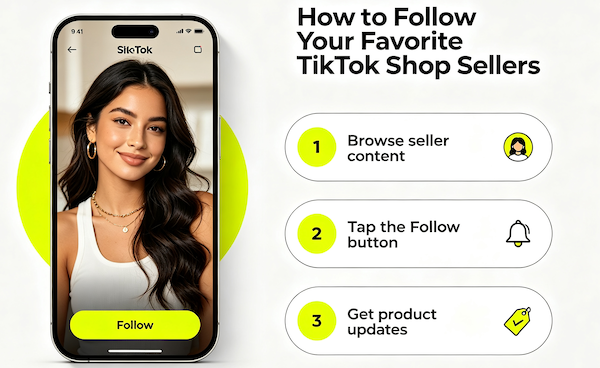
- On the seller’s profile — tap their username or avatar from any of their videos, and you’ll land on their profile page with a bright Follow button right under their name.
- On their Shop tab — if the seller has TikTok Shop enabled, their profile has a dedicated Shop tab. You can follow them from here too, and it’s a good way to double check they actually sell through TikTok Shop and aren’t just linking out elsewhere.
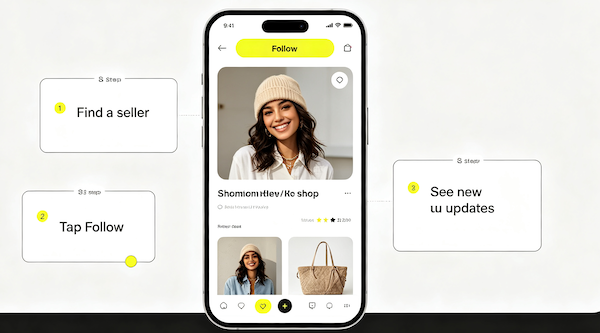
- Browse seller content
Open one of the seller’s videos or tap into their shop feed to see what they post regularly.
- Tap the Follow button
It’s on their profile page, usually right below their name and follower count.
- Get product updates
New videos and product drops from that seller will start showing up more often in your feed.
How to Actually Find Sellers You Follow Again
Once you’ve followed a handful of sellers, go to your own profile and tap Following. Every account you follow shows up there in one list, which is a much faster way to get back to a shop than searching for it by name again. If you can’t remember a seller’s exact name (very common — usernames are rarely memorable), this list is usually faster than digging through the Shop tab from scratch.
A Few Things I Wish I’d Known Sooner
Following a seller doesn’t mean you’ll see every single video they post — the algorithm still filters based on what you engage with, so if you want a seller’s content reliably, it helps to actually watch their videos through and interact with them occasionally. I also learned the hard way that following a seller is not the same as saving a product — if you like an item but aren’t ready to buy, you still need to save it separately to your wishlist or it can get buried just as easily as before.
FAQ: Following TikTok Shop Sellers
Do I need a TikTok account to follow a seller?
Yes. You need to be logged into a TikTok account to follow anyone, including sellers. Browsing without an account only lets you view public content.
Will I get notified when a seller I follow goes LIVE?
Often, yes — TikTok sends notifications for LIVE sessions from accounts you follow, though this depends on your notification settings and how consistently you engage with that seller’s content.
Can a seller tell if I followed them just to buy something?
No. Sellers see your follow the same as any other follow — there’s no way for them to see your purchase intent from a follow alone.
What’s the difference between following a seller and following a regular TikTok account?
Functionally nothing — the Follow button works the same way. The difference is just that sellers usually have a Shop tab enabled on their profile, which regular accounts don’t.