
After a trip where I’d spent a week searching TikTok for gift ideas for a family member, my feed spent the next month convinced I wanted nothing but candle-making kits. I never actually wanted that — I was shopping for someone else — but the algorithm had no way of knowing that, and it took some deliberate effort to steer it back.
Can You Actually “Reset” the Algorithm?
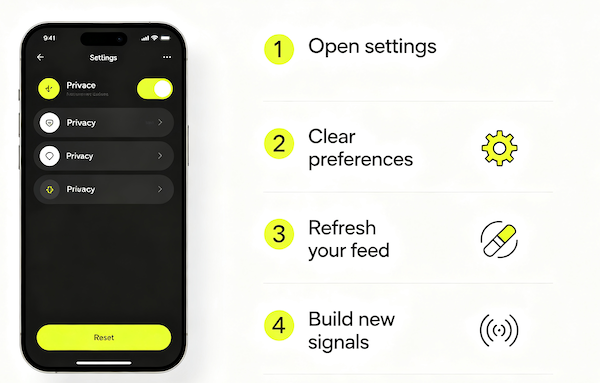
Not in the sense of wiping the slate completely clean — TikTok doesn’t offer a single button that erases your recommendation profile. What you can do is clear the strongest piece of it (your watch history) and then deliberately feed it new, consistent signal so it recalibrates around that instead.
The Realistic Way to Nudge It Back
Think of it less like a hard reset and more like retraining. Clearing watch history removes the biggest weight, but the feed still learns fast from whatever you do next — so the days right after a “reset” matter more than the reset itself.

- Clear your watch history
Found in Settings and Privacy under Content Preferences — this removes the biggest chunk of the data your feed is currently built on.
- Use Not Interested liberally for a few days
Actively tapping it on anything unwanted speeds up the shift instead of waiting for it to fade naturally.
- Deliberately engage with the content you actually want
Watch, rewatch, and follow accounts in the direction you want your feed to move — the algorithm needs new signal to replace the old.
- Be patient for about a week
A full recalibration rarely happens overnight; give it several days of consistent behavior before judging whether it worked.
What Resetting Won’t Fix
If a single video or seller keeps resurfacing no matter what you do, a full reset can feel like overkill — the Not Interested button is usually a faster, more targeted fix for that specific problem. And if the repetition is really just one narrow signal that got overweighted, it’s worth reading why TikTok keeps showing the same products before assuming you need to reset anything at all.
FAQ
Is there an official ‘reset algorithm’ button?
Not exactly. TikTok doesn’t offer a single reset switch, but clearing your watch history in Settings and Privacy is the closest built-in option, combined with changing your engagement going forward.
Does logging out and back in reset anything?
No, your algorithm data is tied to your account, not your session, so logging out and back in doesn’t clear it.
How long does a reset actually take to show results?
Most people notice a shift within a few days, with a more complete change after about a week of deliberately different engagement.
Will resetting affect my followers or who follows me?
No, clearing watch history and adjusting recommendations only affects what you see — it has no effect on your follower count or account relationships.