
The two questions I get asked most about TikTok Shop, after “is it safe,” are basically “how long will it take” and “what if I need to send it back.” Fair questions — shipping and returns are where most online-shopping headaches actually happen, not at checkout. Here’s what’s actually in the policy.
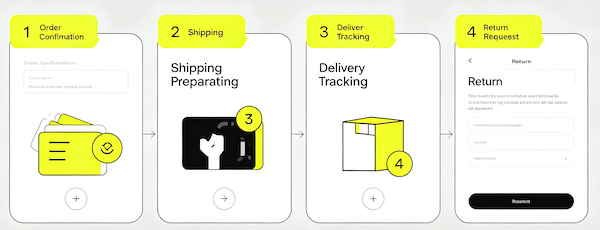
Shipping: What to Expect
Shipping cost and speed are set per seller, but there’s a consistent pattern across most listings: many items are eligible for free shipping outright, and others become free once your order reaches a small minimum threshold that the seller sets. That threshold shows up on the product page and again at checkout, so you’ll know before you pay whether it’s worth adding one more item to clear it.
Delivery windows vary by seller and by how far the item is shipping from, but TikTok Shop’s guarantee covers your order arriving within the estimated window — if it doesn’t, you can open a request for a resolution directly from the order page, covered further in our TikTok Shop safety guide.
Returns: The 30-Day Window
Most items qualify for a 30-day return window from delivery. The part that actually makes this easy in practice: for most items shipped via UPS, you don’t need to box anything up or print a return label yourself — there are more than 50,000 UPS drop-off and self-return points across the country where you can hand the item back without pre-packaging it.
That’s a meaningful difference from a lot of smaller online stores, where you’re on your own to source a box, print a label at home, and figure out where to drop it. Here, the process is closer to “bring the item, they handle the rest.”
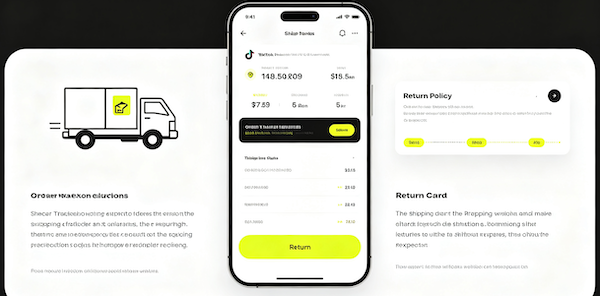
How to Start a Return
- Open the orderGo to Profile → Orders and select the item you want to return.
- Choose “Return or Refund”Select the reason and confirm whether you want a refund or exchange.
- Get your drop-off detailsFor most items shipped via UPS, you’ll be pointed to a nearby drop-off point — no box or label prep required.
- Drop off the itemHand it off within the return window shown in your order.
- Track your refundRefund status updates in the same Orders section once the return is received.
A Few Practical Notes
Keep the item in the condition it arrived in until you’re sure you’re keeping it — tags on, packaging intact where possible. It’s the same advice we give in our sewing machine buying guide: test a new gadget gently before you fully commit to it, so a return stays simple if it’s not the right fit.
Also worth checking: TikTok Shop periodically runs a Coupon Center with order-threshold discounts (for example, a set amount off once your cart hits a certain total). It’s easy to miss since it’s tucked away from the main shop feed, but it stacks with the free-shipping threshold if you’re already ordering close to it.
Not sure how to place the order in the first place? Start with our step-by-step guide to buying from TikTok Shop.
FAQ: Shipping & Returns
How long do I have to return a TikTok Shop item?
Most items qualify for a 30-day return window starting from the delivery date.
Do I need a box or label to return a TikTok Shop item?
For most items shipped via UPS, no — you can return the item at one of over 50,000 UPS locations without prepping a box or label yourself.
Is shipping free on TikTok Shop?
Many items ship free, and others become free once your order reaches the minimum threshold shown on the product and checkout pages.
How do I check my refund status?
Go to Profile → Orders and open the returned item — refund status updates there once the return is received.